
Fuel remains one of the largest and most variable costs in fleet operations. While changing fuel prices are outside your control, how fuel is used day to day isn’t.
The key to reducing fuel spend is understanding where consumption happens, spotting inefficiencies early, and making informed operational decisions based on real data.

How Fleets Can Save Fuel with Smarter Insights
Across most fleets, a significant amount of fuel is wasted through inefficiencies rather than essential driving. Common contributors include:
- Excessive engine idling
- Inefficient routes or congested job sites
- Inconsistent driving behaviour
- Vehicles running longer than necessary
To reduce fuel usage effectively, fleet managers need visibility into:
- When vehicles are moving versus stationary
- How long engines are running without productive output
- Which drivers, vehicles, or routes consume the most fuel
- Whether fuel use aligns with actual job requirements
With accurate reporting, trends become clear. This enables simple but impactful actions such as driver coaching, route adjustments, vehicle comparisons, or policy changes — all of which contribute to lower fuel costs and improved efficiency.
If You’re a Fleet Witness Live User
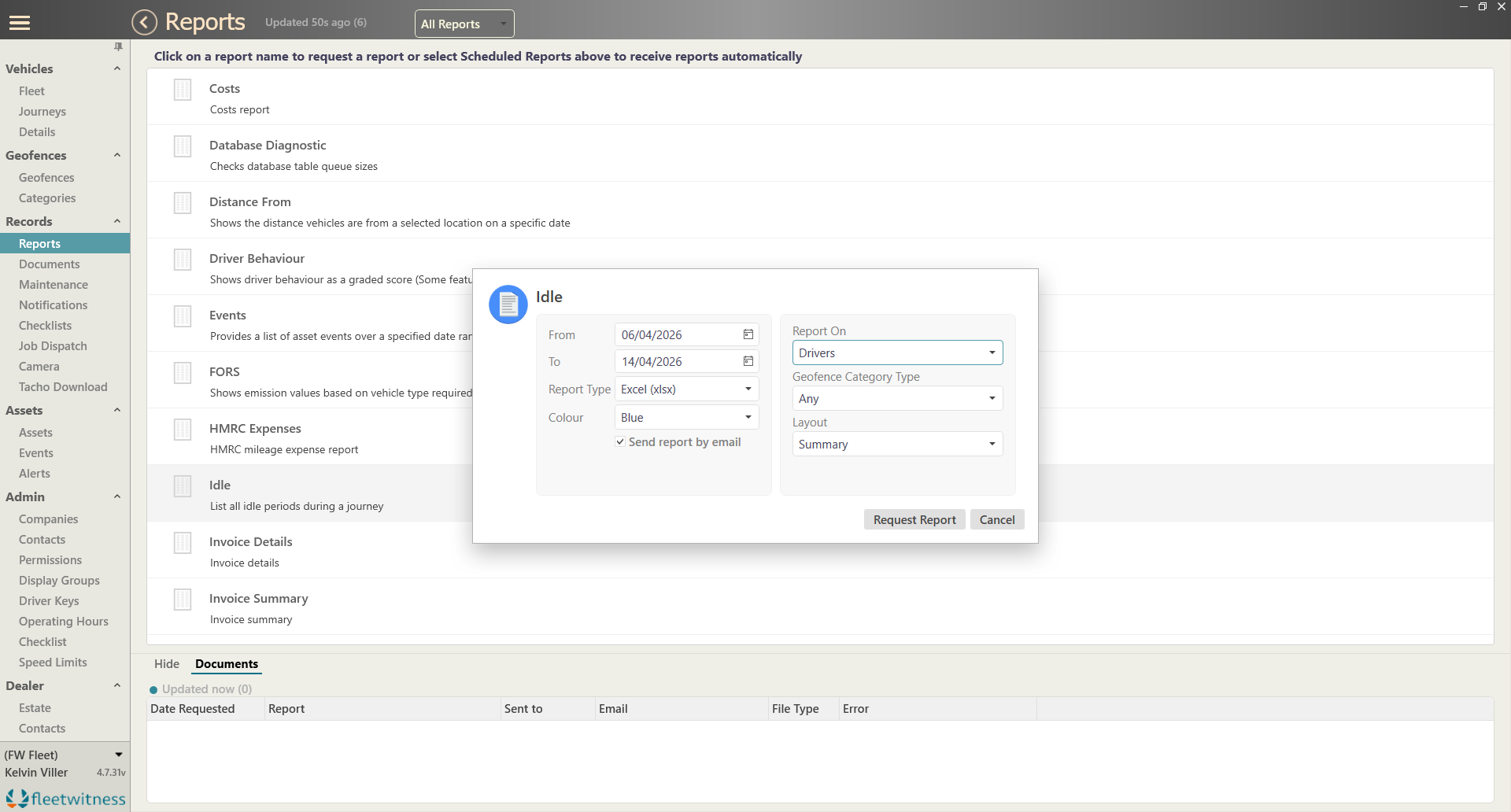
Fleet Witness Live already provides powerful fuel reporting tools, and our latest update makes fuel waste even easier to identify with the new Idle Summary Report.
This update is designed to help you pinpoint where unnecessary idling is driving up fuel costs — quickly and clearly.
What the Idle Summary Shows
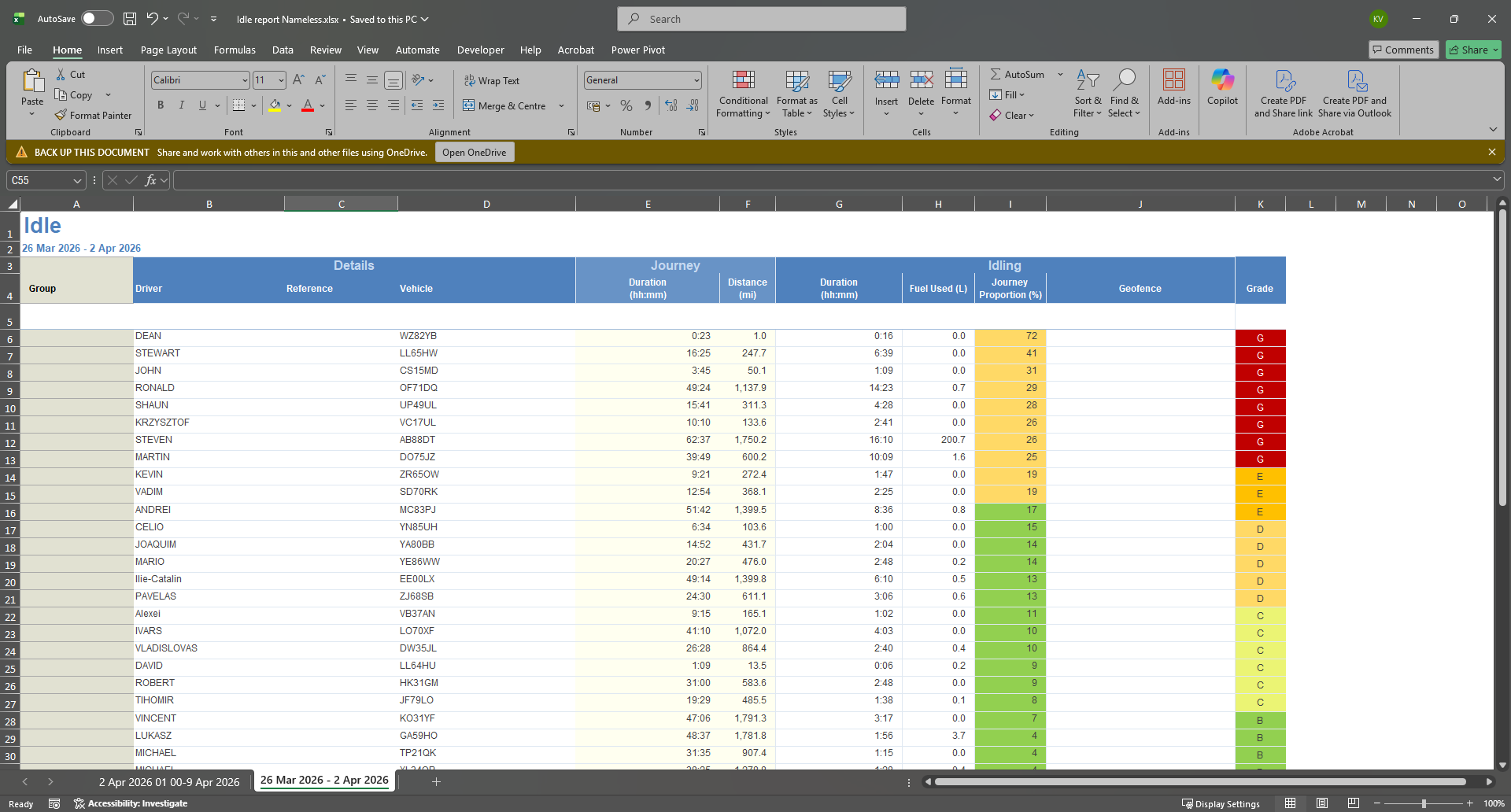
The Idle Summary gives you a clear overview of idling performance across your fleet, including:
- Total idling duration per driver or vehicle
- Percentage of each journey spent idling
- Fuel consumed while idling, measured in litres
- Journey summaries, including distance, duration, and fuel use
This allows you to see — at a glance — which drivers, vehicles, or routes are generating the highest idle-related fuel costs.
How to Access the Idle Summary Report
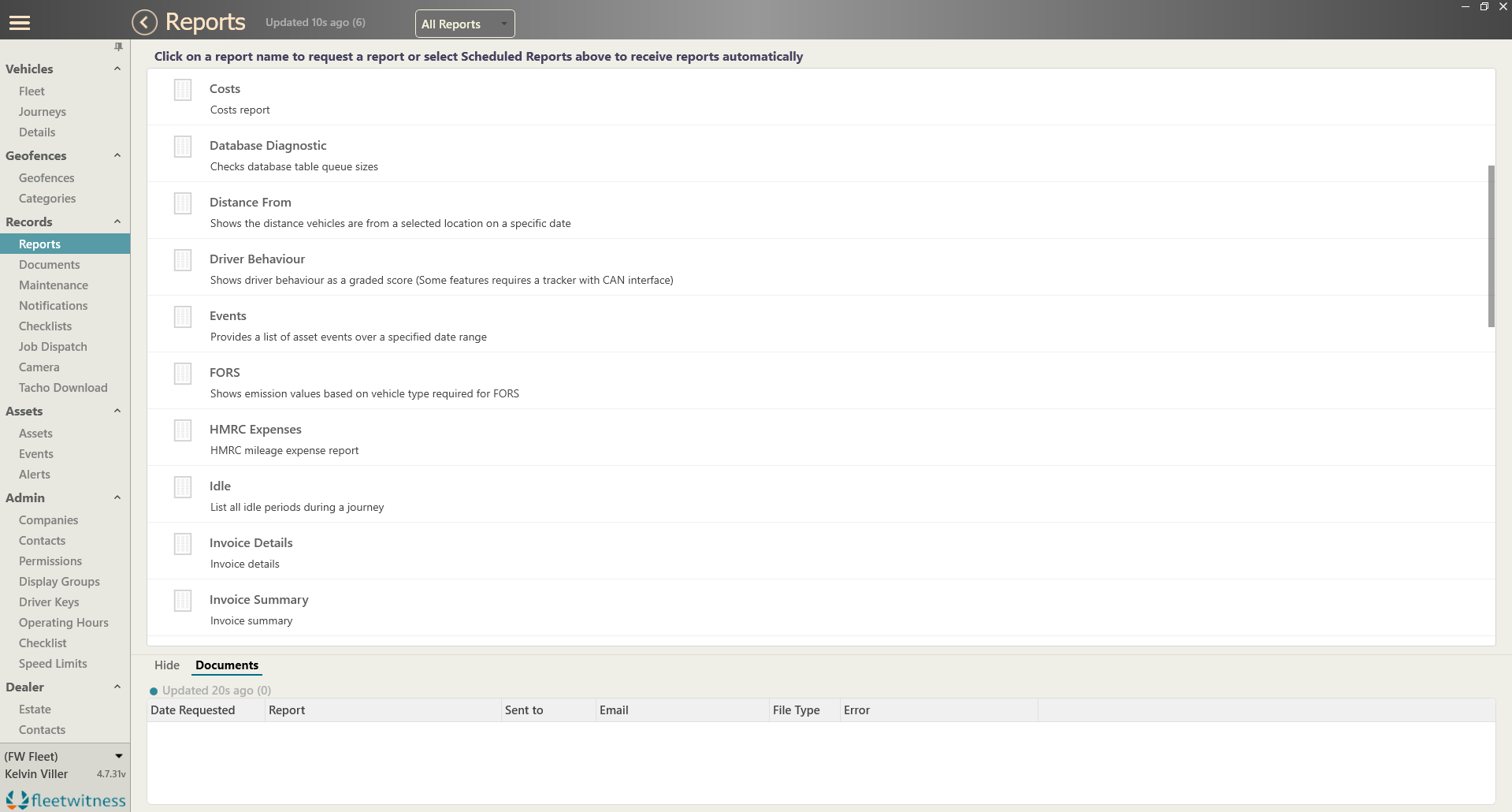
Generating the report takes just a few steps:
- Go to Records, then open Reports
- Select Idle from the list of available report options
Once generated, the report can be reviewed on screen or exported for deeper analysis and sharing with your team.
A Smarter Way to Control Fuel Costs
Fuel savings start with understanding, and understanding starts with clear, actionable data.
The new Idle Summary Report builds on Fleet Witness Live’s fuel reporting capabilities by making idling visible, measurable, and easy to act on — helping you cut waste, support drivers, and keep costs under control.
Log in to Fleet Witness Live today to explore the new Idle Summary report.